
How to protect your website from hotlinking: prevent bandwidth theft
Hotlinking is a more common practice than it seems on the Internet and, in many cases, it is done without full awareness of its consequences. Even so, it can become a serious problem for any website that hosts images, videos, or other publicly accessible files.
When we talk about protecting against hotlinking, we mean preventing third parties from directly using the resources stored on our server without authorization. Although at first glance it may seem harmless —after all, it’s just an image—, the reality is that each load of that file consumes your own resources and can negatively affect the performance and costs of the original website.
Understanding what hotlinking is, why it is considered a bad practice, and how to prevent it is essential to maintaining an efficient, secure, and controlled web infrastructure.
Table of Contents
What is hotlinking?
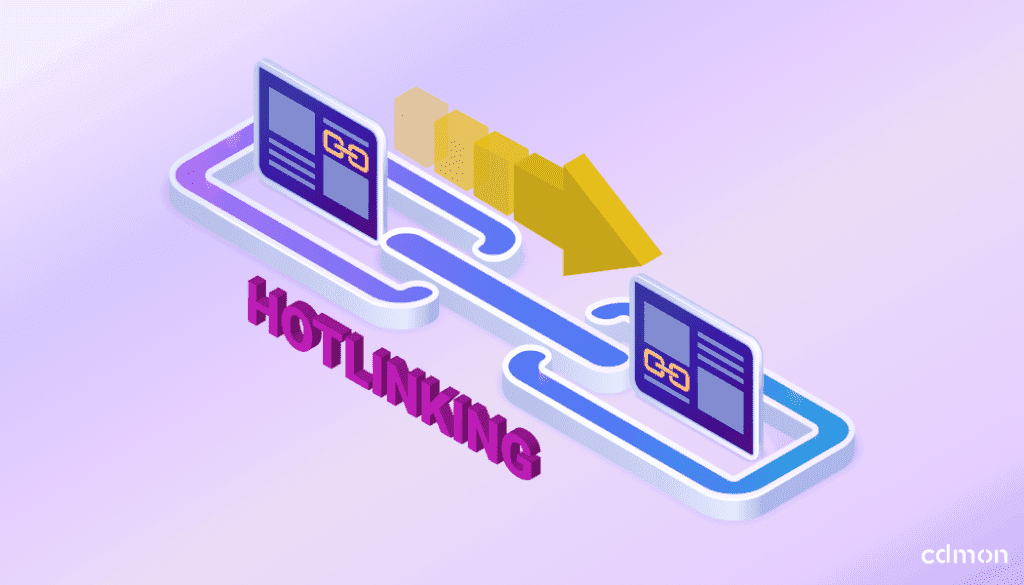
Hotlinking consists of directly linking to a file hosted on another website, usually an image, a video, or a document, instead of downloading it and hosting it on your own server.
This means that the content is displayed on an external page but continues to load from the original server. For example, imagine you publish a high-quality optimized image on your website. If another page directly copies the URL of that image and embeds it in its own content, every time a user visits that external page, the image will load from your server, consuming your resources without your website receiving any visits or recognition.
Why is hotlinking a bad practice?
Although technically easy to perform, hotlinking carries multiple disadvantages that affect both server performance and content management.
Bandwidth cost
Each request to a hotlinked image or file consumes resources from your server. If an external website with high traffic links to your images, you may experience:
- Slowness on your site
- Server overload
In hosting plans with limited resources, this unauthorized consumption can cause usage spikes, additional charges, and even temporary service blocks if the contracted bandwidth limits are exceeded.
Legal risks and copyright
Hotlinking can also lead to legal conflicts. Although the file remains yours, its use on third-party sites can violate copyright, display the content in inappropriate contexts, or remove any reference to the original authorship.
Loss of control over linked files
When you allow hotlinking, you lose control over where and how your content is displayed. You cannot decide on which pages it appears or prevent it from being associated with messages or brands that do not represent your values.
Techniques to prevent hotlinking
There are different ways to protect your website from hotlinking, from simple technical solutions to more advanced strategies.
Using .htaccess to block unauthorized references
One of the most effective ways to protect against hotlinking on Apache servers is through the configuration of the .htaccess file. This file allows you to define rules that prevent other domains from directly loading your images or other resources if they are not authorized.
When a request is detected from an external domain, the server can automatically block it, thus preventing the undue consumption of bandwidth.
Basic example of .htaccess code to prevent hotlinking:
RewriteEngine On
RewriteCond %{HTTP_REFERER} !^$
RewriteCond %{HTTP_REFERER} !^https?://(www.)?yourdomain.com/ [NC]
RewriteRule .(jpg|jpeg|png|gif|webp)$ - [F]This type of configuration prevents other websites from using your images without permission, maintaining full control over your files and resources.
Protection through CDN
The use of a CDN (Content Delivery Network) is another effective way to protect resources against hotlinking. CDNs allow serving files from a distributed network and applying advanced security rules, such as blocking by origin domain or using protected URLs.
In addition to improving load speed, a CDN reduces the direct load on the main server and facilitates the detection of abusive uses of bandwidth.
Disable right-click or copy link
Disabling right-click is a technique aimed at hindering the direct copying of images by non-technical users. Although it does not prevent hotlinking at the server level, it can serve as a basic deterrent measure, especially on websites with visual content that is easily shared.
It is important to understand that this technique does not block real access to the files, but only acts in the user’s browser. For this reason, it should always be considered as a complementary solution, never as the main one.
How can it be done?
There are two common options:
- Using JavaScript, adding a small script that blocks the browser’s context menu. It is easy to implement and does not require plugins, although it can be easily disabled.
- Using plugins, especially in WordPress, where you can configure right-click blocking only on images, display custom notices, or exclude admin users.
In both cases, the configuration is usually simple and does not require complex changes to the server.
Watermarks on images
Watermarks are especially useful in high-value visual content, such as photographs or original designs. By including a visible logo or text, unauthorized use is hindered and content authorship is reinforced.
It does not technically prevent hotlinking, but it does act as a deterrent and brand recognition element.
Rename files to break existing links
If you detect active hotlinking, changing the name or path of the affected files automatically breaks existing external links. It is a quick measure to stop the abuse, although it should be applied carefully to avoid affecting internal links or SEO.
Sending legal notices or DMCA
In severe or repeated cases, sending a DMCA notice can be an effective solution. This option is recommended when hotlinking constitutes clear misuse of content and significantly affects server resources.
Advanced strategies for professional sites
When it comes to projects with high traffic volume, premium content, or sensitive resources, basic measures may not be enough. In these cases, it is advisable to apply advanced strategies that allow greater control over who accesses the files and how server resources are consumed.
These solutions usually require more specific technical configuration but offer a higher level of protection against hotlinking and other abusive uses of bandwidth.
Signed or tokenized URLs (signed URLs)
Signed URLs or tokenized URLs allow controlling access to a resource through temporary parameters or unique tokens. In this way, a file can only be loaded if the URL is valid and has not expired.
This system is especially useful in:
- Video or streaming platforms
- Online training sites
- Protected content downloads
- Resources accessible only to authenticated users
By limiting the validity time or the origin of the request, it is prevented that a URL can be reused on external sites. Although its implementation is more complex than other techniques, it offers very effective protection against hotlinking and unauthorized use of resources.
Monitoring referer traffic to detect hotlinkers
The HTTP Referer header indicates from which page a request to a resource is made. Analyzing this data allows identifying external domains that are loading images or other files directly from your server.
Monitoring referer traffic helps to:
- Detect active hotlinking
- Identify abuse patterns
- Adjust blocking rules selectively
This information can be obtained from server logs, advanced analytics tools, or hosting control panels, and is key to acting preventively before bandwidth consumption skyrockets.
Analysis of logs and CDN reports to identify abuses
The analysis of server logs and CDN reports allows knowing in detail how the website’s resources are being used. These data show which files are requested most frequently, from which locations, and from which domains.
Thanks to this information, it is possible to:
- Detect abnormal consumption spikes
- Identify hotlinked files
- Apply more precise blocks
- Optimize resource distribution
CDNs usually offer visual reports that facilitate this analysis, becoming a key tool for advanced traffic management.
Impact on performance and SEO
Hotlinking can negatively affect a website’s performance by generating excessive consumption of bandwidth and server resources. This can result in slower load times, especially during high-demand periods.
Poor performance directly influences metrics such as Core Web Vitals, affecting user experience and, consequently, search engine ranking.
Additionally, hotlinking can create confusion in search engines about content authorship. If other sites use your images via direct link and receive more traffic than the original website, those resources may end up ranking better in search engines, harming your domain’s visibility and authority.
By protecting against hotlinking, unnecessary server load is reduced, site stability is improved, and greater control over digital assets is maintained. All of this contributes to a more efficient, scalable, and SEO-friendly environment in the medium and long term.
Good maintenance practices
Protection against hotlinking should be reviewed periodically:
- Check and update blocking rules
- Review allowed domains
- Audit the use of images and resources
- Monitor unexpected traffic spikes
Conclusion
Protecting against hotlinking is essential to avoid bandwidth theft, reduce unnecessary costs, and maintain control over your website’s content. From .htaccess configurations to the use of CDNs and advanced strategies, there are solutions tailored to all types of projects.
Having a professional hosting like cdmon’s, with security tools and specialized support, facilitates the protection of your resources and guarantees a solid and prepared infrastructure for growth.

By: Miriam Chica
She is part of cdmon's development team. Her background combines experience in technical support and software development, allowing her to clearly explain how technologies such as DNS, servers, and Internet security work. On the cdmon blog, she shares content that helps readers understand technical concepts in a clear and accessible way.
You can learn more about her background on LinkedIn


