
What is a domain? Easy explanation
What is a web domain?
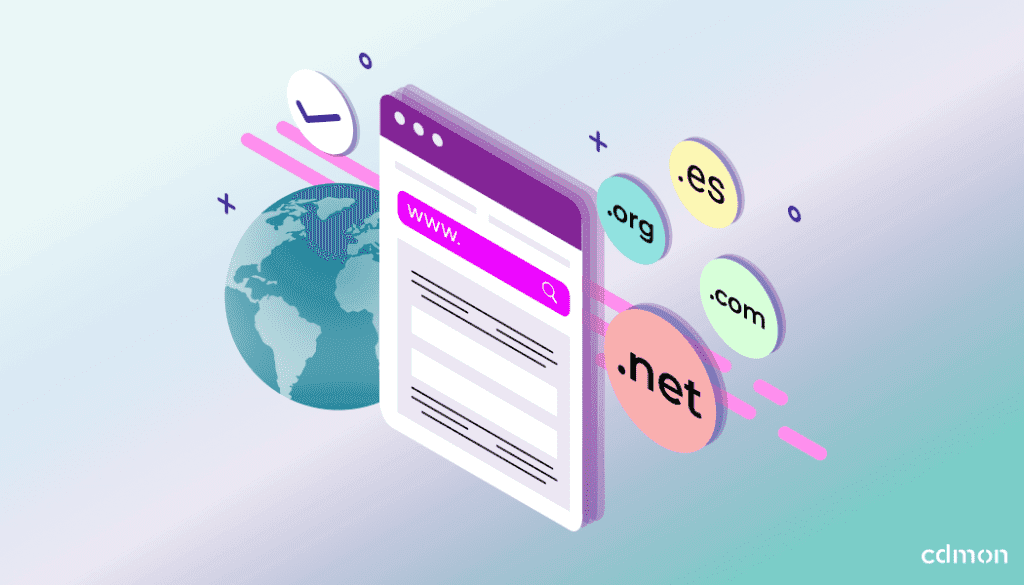
A web domain is a unique and personalized address that allows identifying a site on the Internet. Through it, users can easily access web pages without having to remember IP addresses, which are long numerical sequences like 192.168.1.1. In other words, it works like the postal address of a house, but in the digital environment.
For example, “cdmon.com” is a domain. Thanks to this name, web browsers can find and display the content hosted on the corresponding servers. Additionally, domains allow for professional management of online identity, reinforcing the digital presence of both individuals and companies.
Table of Contents
- What is a web domain?
- What is a domain for?
- How does a domain work on the Internet?
- Parts of a domain
- Types of domains
- Difference between domain and URL
- Benefits of having your own domain for SEO
- How to choose the best domain for your project?
- How to register a domain step by step?
- Frequently asked questions about domains
- Conclusion
What is a domain for?
They have multiple functions and benefits. Below we detail the main ones:
- Facilitate access to a website: instead of memorizing an IP, users type a recognizable name.
- Represent digital identity: the domain name can reflect your company name, brand, product, or even a relevant keyword.
- Professionalize email: instead of using generic accounts, you can have addresses like info@yourdomain.com.
- Increase trust and credibility: having your own domain conveys professionalism and seriousness.
- Allow segmentation and diversification: with several domains, you can separate products, languages, or target audiences.
How does a domain work on the Internet?
When you type a domain in your browser, a technical process occurs involving the DNS (Domain Name System). This system translates the domain name into an IP address, which is the actual number that identifies the server where your web content is hosted.
It’s like a phone book: you look for the name and get the number. The browser uses that number to connect to the server and display the web page in question.
This process is almost instantaneous and happens millions of times a day worldwide. Therefore, registering a domain is essential for users to find you on the network.
Parts of a domain
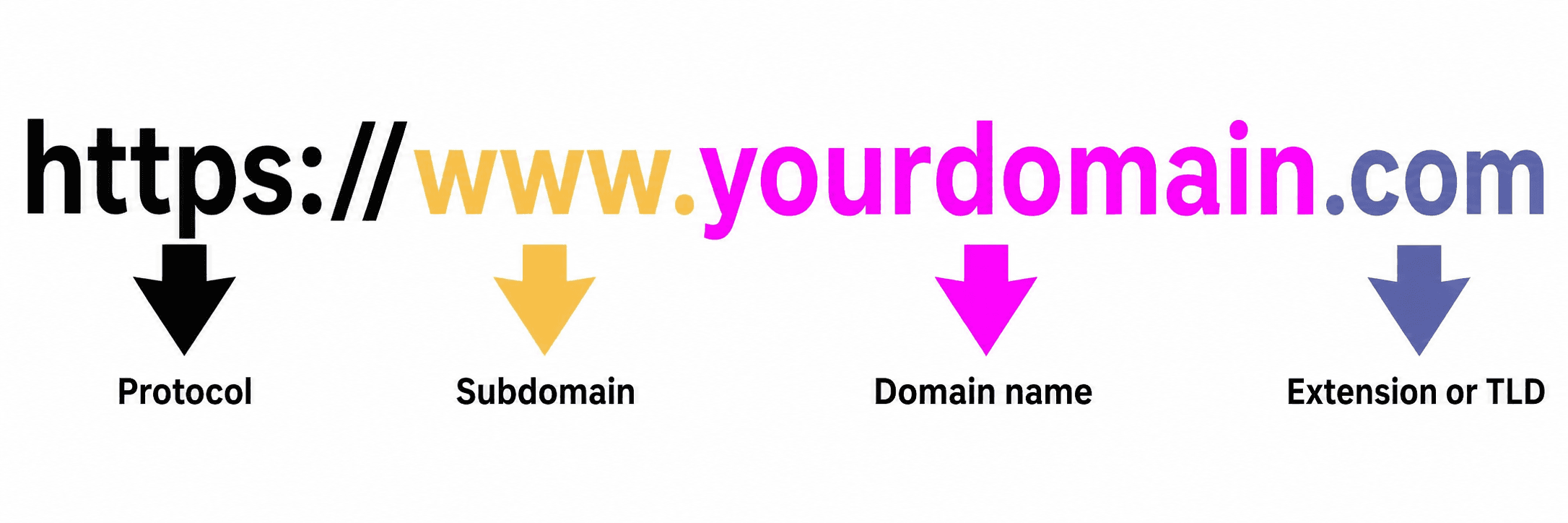
A domain is composed of different parts. Understanding them will help you manage it better:
Domain name
It is the customizable part. It represents your brand, product, or keyword. Example: in “cdmon.com”, “cdmon” is the domain name. Choosing it well can make a big difference in recognition, traffic, and positioning.
Extension or TLD
It is the final part of the domain, indicating the type (.com, .org) or geographic location (.es, .fr). They are also known as “Top-Level Domains” or TLDs. Choosing the correct extension can help you position better and generate more trust.
Subdomains
They are divisions of the main domain that allow organizing content or services independently. Example: blog.cdmon.com or store.cdmon.com.
We explain in depth how to use them in the article: What are subdomains and how are they used?
Types of domains
Generic domains (gTLD)
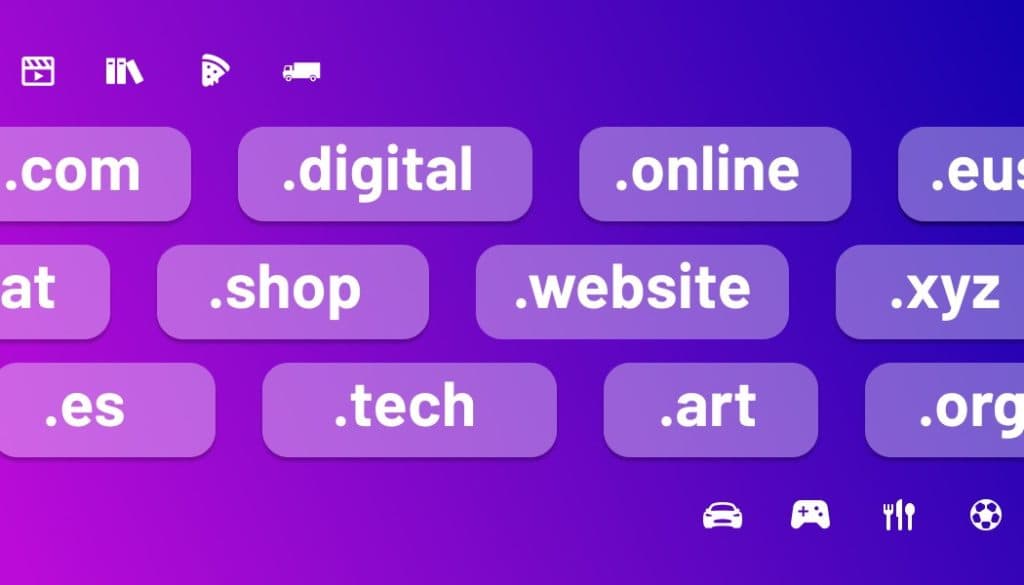
They are the most known and used. They include .com, .net, .org, among others. Suitable for any type of website, regardless of geographic location.
Geographic domains (ccTLD)
They are assigned to countries or regions. For example, .es for Spain, .mx for Mexico, or .fr for France. Ideal if your audience is mainly local.
New domain extensions (nTLD)
In recent years, hundreds of new extensions have appeared like .tech, .shop, .club, .online, .dev. They are useful for standing out in specific sectors or for innovative branding.
Premium and expired domains
Premium domains are highly sought after for their commercial value. They are usually short, generic, and in high demand. On the other hand, expired domains are those that were not renewed in time and become available again, sometimes representing interesting opportunities.
Difference between domain and URL
The domain is just a part of a URL. The URL (Uniform Resource Locator) is the complete address that leads to a specific resource on a website.
For example: – Domain: cdmon.com – URL: https://www.cdmon.com/hosting/email
The URL can include in addition to the domain: the protocol (http or https), subdomains, paths, parameters, and anchors.
Benefits of having your own domain for SEO
- Increases the authority of your website before search engines.
- Facilitates the indexing of content.
- Improves the click-through rate (CTR) by displaying a clear address.
- Allows including relevant keywords.
- Contributes to the creation of efficient internal links.
- Strengthens brand image, which also impacts SEO.
Additionally, if you manage multiple domains correctly, you can maximize your online visibility, segment content or audience, and strengthen your digital ecosystem. More details in these articles:
- Multiple domains and SEO to boost your brand’s visibility
- Benefits of having multiple domains for your brand
What can be done with a domain?
- Create a website.
- Activate corporate emails.
- Set up redirects to other websites or social networks.
- Develop an online store.
- Create a private intranet.
- Use it for specific campaigns or temporary events.
- Protect your brand against possible malicious uses or unfair competition.
How to choose the best domain for your project?
Tips for choosing a good domain
- Make it short, easy to write, and remember.
- Relevant to your brand or activity.
- Avoid hyphens and numbers, unless they are part of your name.
- Check that it is free on social networks.
- Use an appropriate extension: .com for global, .es for Spain, etc.
Mistakes to avoid when choosing a domain
- Choosing a name that is too long or difficult.
- Not checking if it is registered as a trademark.
- Using ambiguous terms or with negative meanings.
- Relying only on one extension when you could secure several.
How to register a domain step by step?
In addition to registering new domains, you can also transfer your domains from another provider to cdmon easily and securely. This is especially useful if you want to centralize the management of all of them on the same platform.
Click here to transfer your domain to cdmon
cdmon also offers volume discounts on the purchase and management of multiple domains, ideal for agencies, developers, and large brands.
Check our volume discounts here
And if you need advanced management, you can use cdmon‘s domains API, which allows automating tasks, registering and renewing domains, checking availability, and more.
Requirements to register a domain
- Be clear about the name and extension.
- Verify its availability.
- Provide your real contact details.
- Have a valid payment method.
Steps to complete the registration
- Access the domain search engine of cdmon.
- Enter the name you are interested in.
- Choose the most appropriate extension.
- Make sure it is available.
- Add it to the cart and create your account.
- Fill in the ownership details and pay.
- You will receive confirmation and can start using it.
Frequently asked questions about domains
How much does a domain cost?
Prices vary depending on the extension and type of domain. For example, a .com can cost from €15/year, while a premium one can be worth hundreds or thousands of euros. Check updated prices in the domain section of cdmon.
Can I change my domain after registering it?
You cannot change it directly, but you can register another one and redirect the previous one. You can also change the website or content associated with the domain.
What happens if my domain expires?
You temporarily lose access to your website and email. You have a grace period to renew it. If you don’t, it may become available and someone else could register it.
Check how to renew your domain in this help from cdmon
How to protect my domain?
- Activate automatic renewal.
- Use transfer lock.
- Keep your data updated.
- Activate WHOIS privacy protection.
- Set security alerts.
More information at: Security in domain registration
cdmon offers advanced security and protection solutions for domains
Conclusion
A domain is much more than a simple address: it is the foundation of your digital identity. Choosing it, protecting it, and using it strategically can make a big difference in your online project. From search engine positioning to brand perception, everything starts with a good domain.
At cdmon, we have been helping professionals and companies build their future on the Internet for over 20 years. Choose your domain, hire the best hosting, and start growing online with us.

By: Miriam Chica
She is part of cdmon's development team. Her background combines experience in technical support and software development, allowing her to clearly explain how technologies such as DNS, servers, and Internet security work. On the cdmon blog, she shares content that helps readers understand technical concepts in a clear and accessible way.
You can learn more about her background on LinkedIn


